
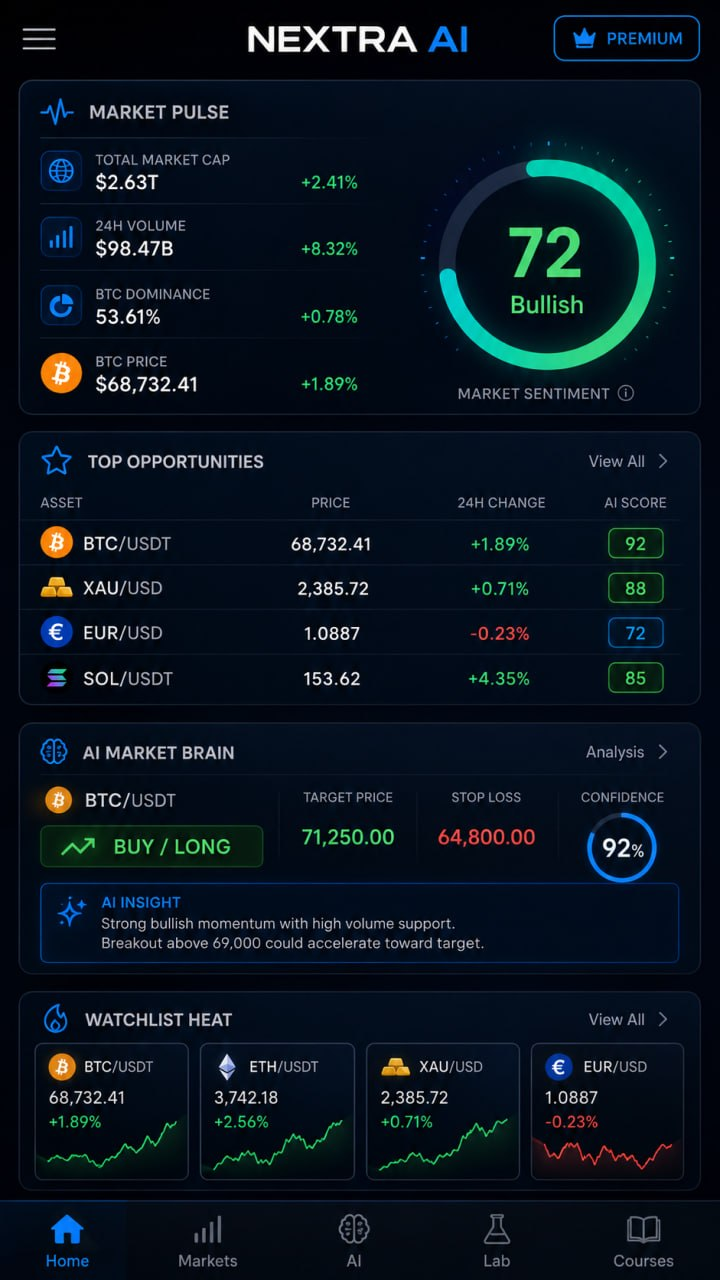
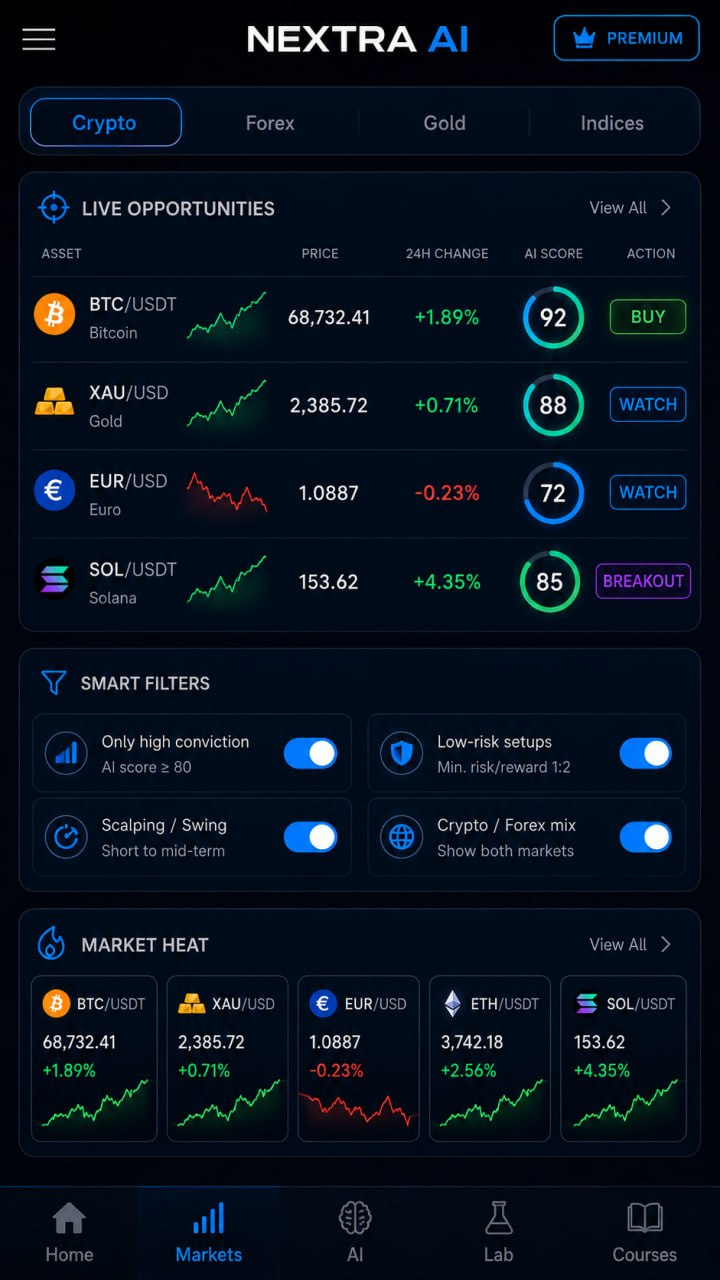
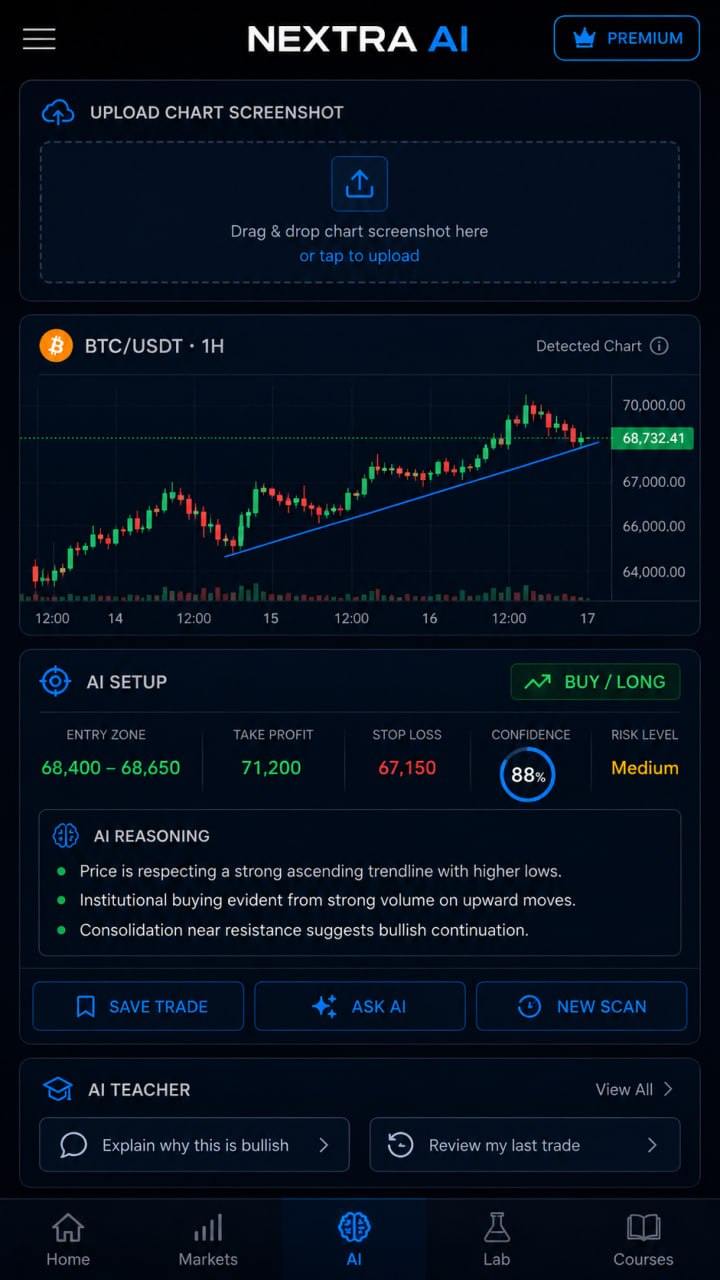
The app combines market analysis, interactive charts, AI-assisted chart review, trading idea simulation, market scanning, and structured learning tools in one interface.
Key features
AI Market Analysis
Analyze cryptocurrency and Forex pairs with AI-assisted market insights.
- Market direction
- Trend strength
- AI score
- Entry zones
- Take Profit levels
- Stop Loss levels
- Risk level
- Market context
- Technical analysis explanations
Crypto and Forex Markets
Monitor multiple markets from one application.
Supported market categories include cryptocurrencies, Forex pairs, gold, and major indices.
Track prices, market movements, watchlists, and selected trading opportunities.
Interactive Charts
Open detailed charts for supported assets and analyze price movements across different timeframes.
- Price action
- Trends
- Support and resistance
- Market structure
- Volume
- Technical indicators
AI Chart Screenshot Analyzer
Upload a screenshot of a trading chart from platforms such as TradingView, Binance, Bybit, MetaTrader, or other charting applications.
NEXTRA AI can analyze the uploaded chart and provide:
- BUY, SELL or WAIT scenario
- Entry zone
- Take Profit
- Stop Loss
- Confidence score
- Risk level
- Explanation of the detected setup
You can also ask the AI additional questions about the analyzed chart.
Market Scanner
Use the market scanner to find assets that meet selected conditions.
Filter opportunities by AI score, market type, risk level, scalping, swing trading, crypto, and Forex.
AI Trading Assistant
Ask questions about markets, trading pairs, charts, indicators, and technical analysis.
“Analyze BTC/USDT”
“Explain the current EUR/USD trend”
“Where is the main support level?”
“Explain RSI”
“What are the main risks in this setup?”
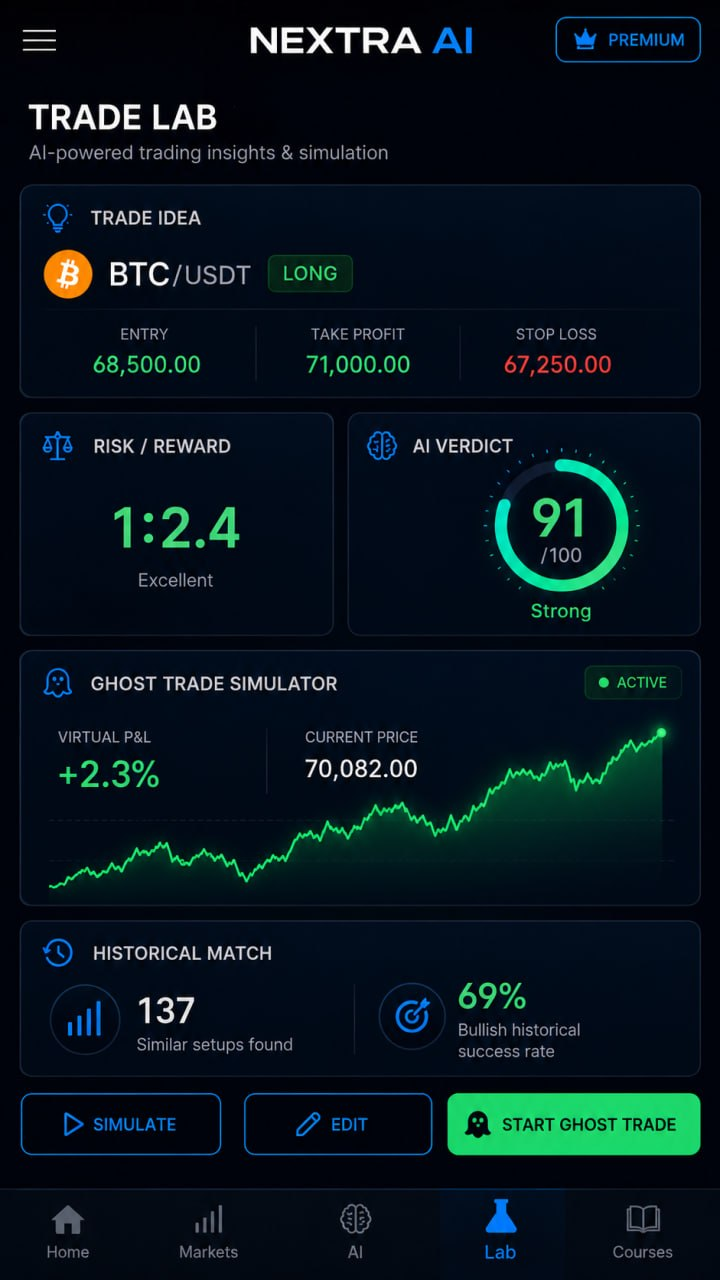
Trade Lab
Create and evaluate a trading idea before using real capital.
Enter asset, direction, entry, Take Profit, and Stop Loss. The app calculates Risk/Reward and provides an AI-based evaluation of the setup.
Ghost Trade Simulator
Test trading ideas using a virtual position.
Ghost Trade allows you to follow the result of a setup without placing a real trade.
- Virtual P&L
- Current market price
- Take Profit
- Stop Loss
- Trade status
Historical Match
Compare current market setups with similar historical price structures.
Historical Match provides additional context by showing how similar situations developed in previous market data.
Historical performance does not guarantee future results.
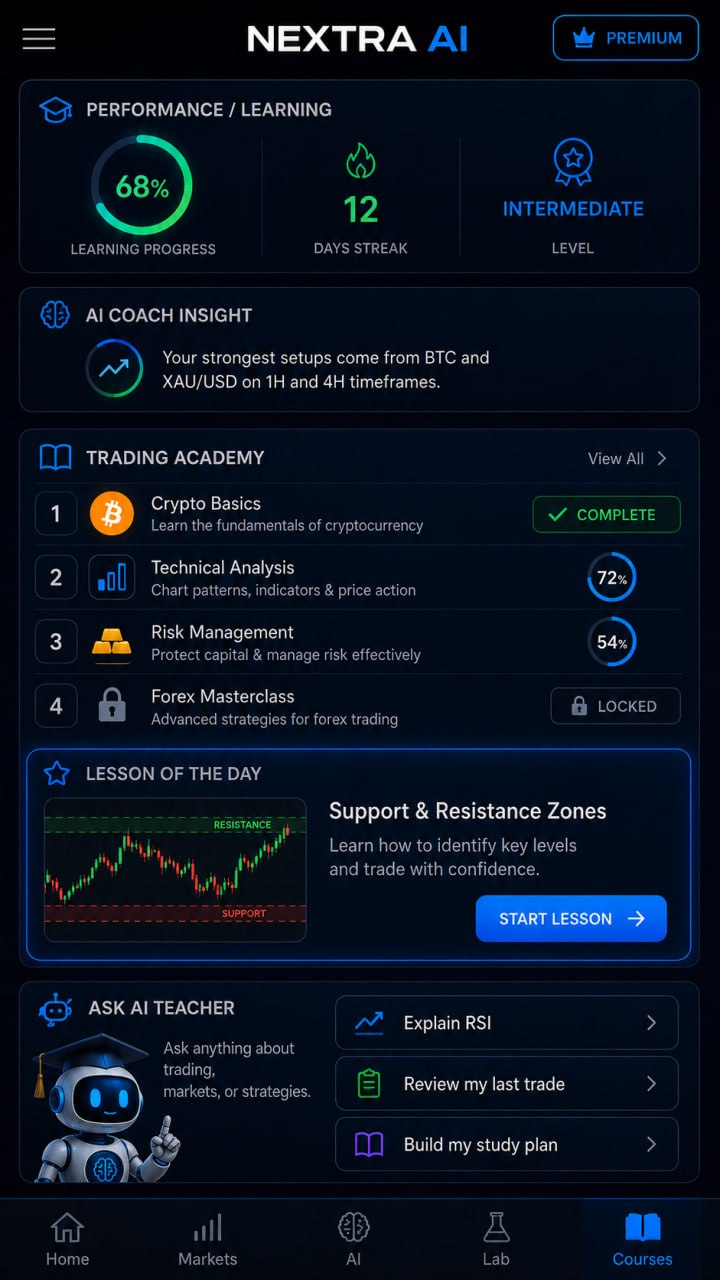
Trading Academy
Learn cryptocurrency and Forex trading directly inside the app.
Available learning topics include cryptocurrency basics, Forex basics, technical analysis, candlestick charts, support and resistance, market structure, indicators, risk management, trading psychology, and trading discipline.
Track your course progress and continue learning from where you stopped.
AI Teacher
Use the built-in AI Teacher as an interactive trading education assistant.
The AI Teacher can explain trading concepts, answer questions, review trading ideas, explain indicators, create personalized study plans, help analyze completed lessons, and review mistakes and trading decisions.
Learning Progress
Track your development with course completion, daily learning streak, trading level, lesson progress, and personalized AI learning suggestions.
One platform for market analysis and learning
NEXTRA AI combines market monitoring, crypto and Forex analysis, interactive charts, AI chart analysis, market scanning, trading idea simulation, historical analysis, trading education, and an AI Teacher.
NEXTRA AI is designed for both beginners who want to learn how markets work and experienced users who want additional tools for market research and trade planning.
NEXTRA AI is intended for informational, analytical, simulation, and educational purposes only. The app does not guarantee profits or future market performance. Nothing provided by the app should be considered personalized financial or investment advice. Trading and investing involve risk, including the possible loss of capital.